Replace screen time with real life.
When your phone pulls you in, Ctrl offers something better: an activity you picked, ready to start.

Designed by clinical psychologist Scott Kollins, PhD · 20+ years of research · Works without opening the app
The premise
Don’t block your phone. Replace the habit.
A limit tells you when to stop, not what to do next. Ctrl takes a different approach: it offers an alternative activity you choose when you reach a phone-use limit you set.
The problem isn't that you use your phone. It's the unplanned minutes that turn into an hour. Ctrl meets you in that exact moment with a better option.

Designed by a psychologist
Two decades of research on attention and habits, in your pocket.
The psychology of why you scroll. The science of what to do instead.
Ctrl was co-founded by Scott Kollins, PhD, a clinical psychologist who has spent more than 20 years studying attention, habits and addiction. As a professor at Duke University, he led the clinical research behind the first video game treatment authorized by the FDA.
Scott brings that background to Ctrl’s approach: helping you notice unplanned phone use and offering an activity you chose instead. Ctrl is designed to support everyday habit change, not to provide treatment.
Ctrl is a consumer wellness app and is not a medical device or treatment.
The Replace loop
A pause with somewhere to go.
Not another warning you swipe away. A complete loop designed to turn a mindless moment into one that feels like yours.
- 01 / 04
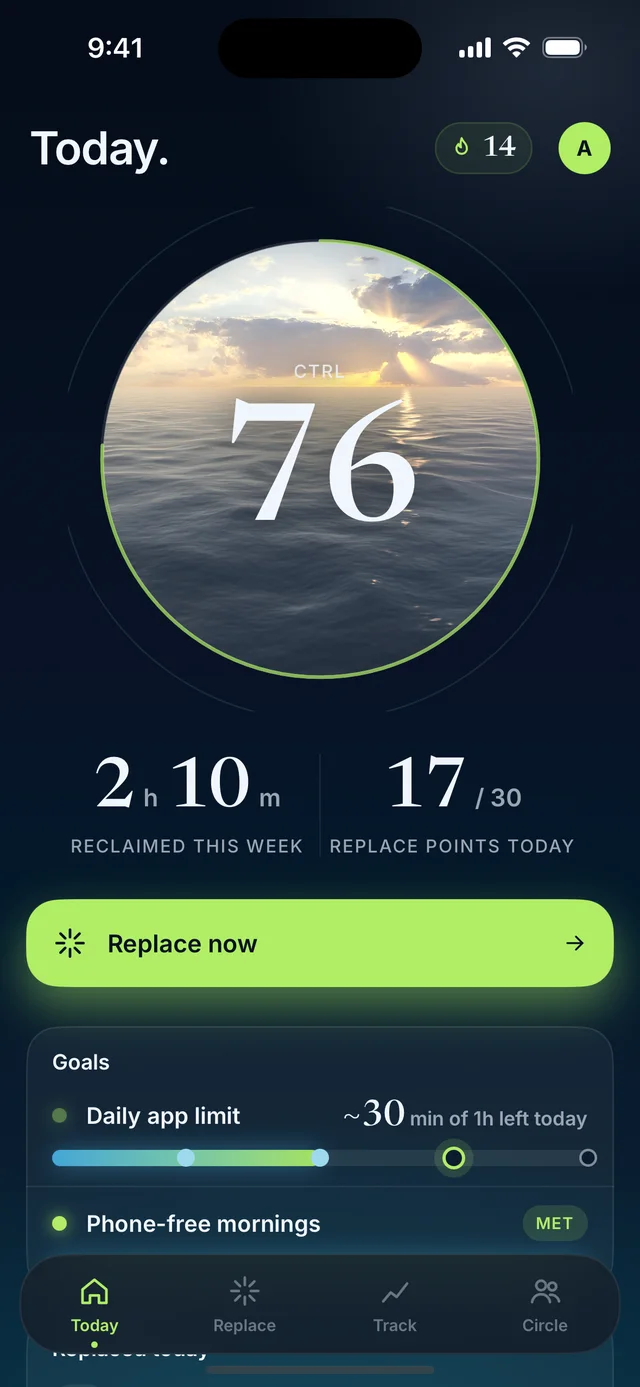
Goals
Set your goals.
Limit all phone use, specific apps, or chosen apps during part of your day, like evenings or the first hour after you wake.
- 02 / 04
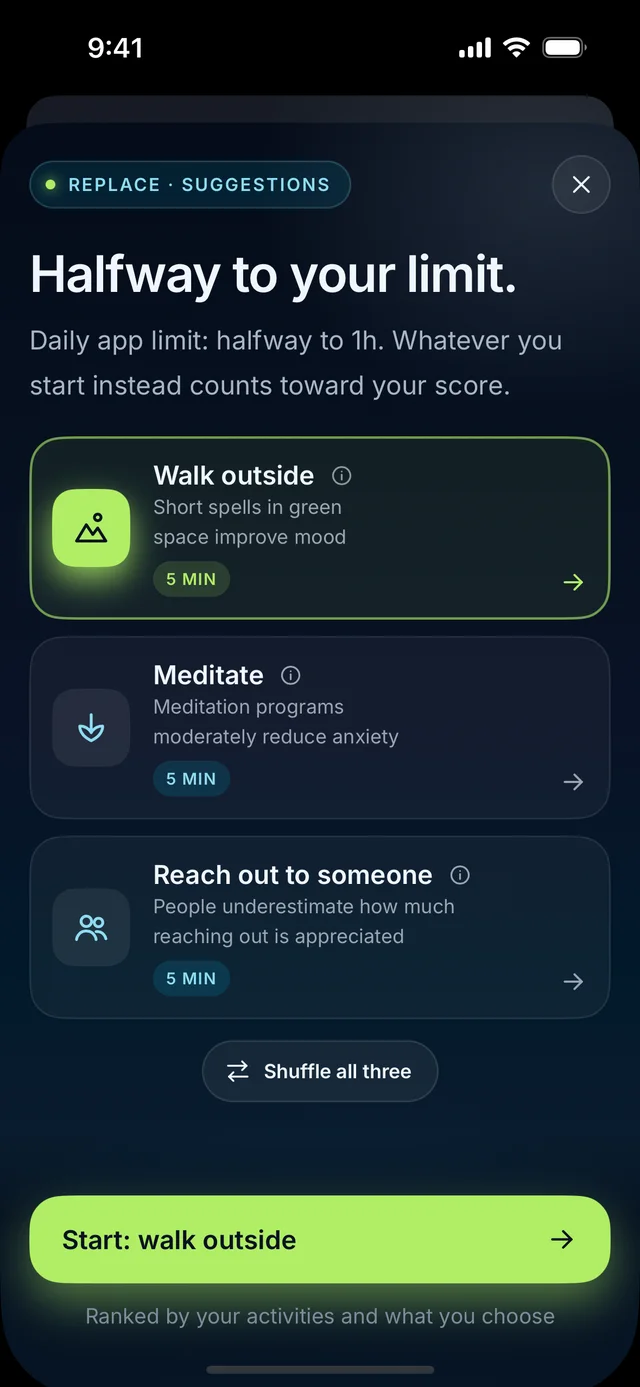
Replace
Pick your Replace.
Choose from six categories: Move, Outdoors, Creative, Social, Calm and Focus. Go as broad as ‘anything outdoors’ or as narrow as a single run.
- 03 / 04
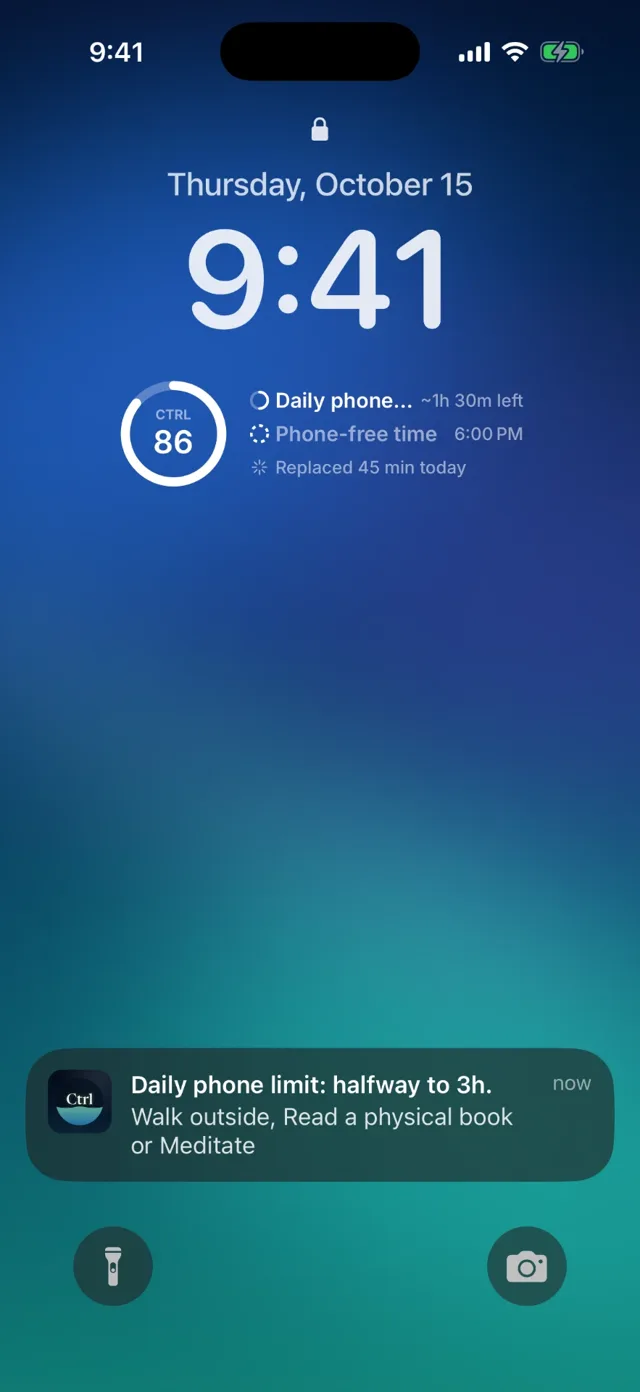
Offer
Get an offer at the right moment.
When you drift past a goal, Ctrl offers three of your picks. Choose a gentle Nudge or a Shield that covers the app.
- 04 / 04
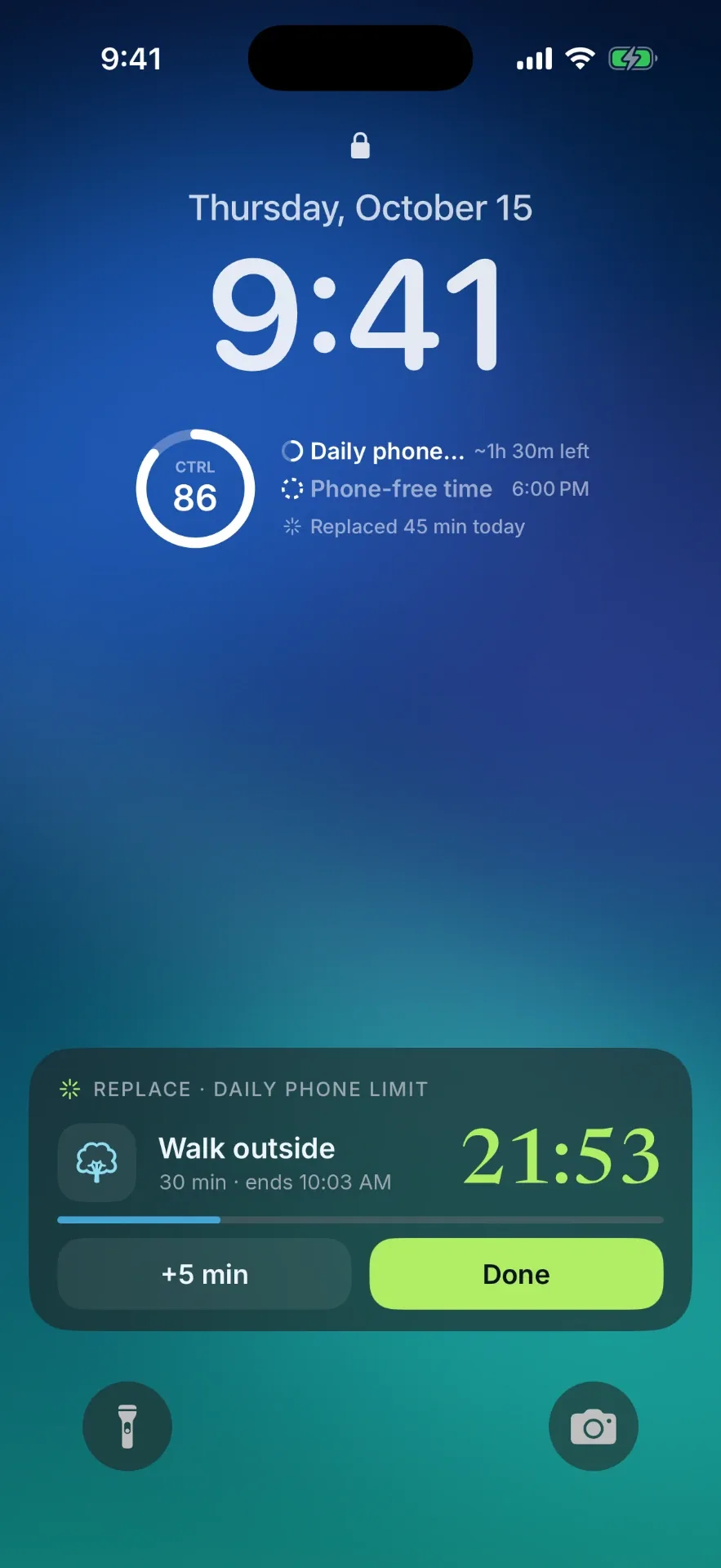
Do it
Do it.
Every Replace runs on a timer on your Lock Screen, and counts toward your Ctrl Score.
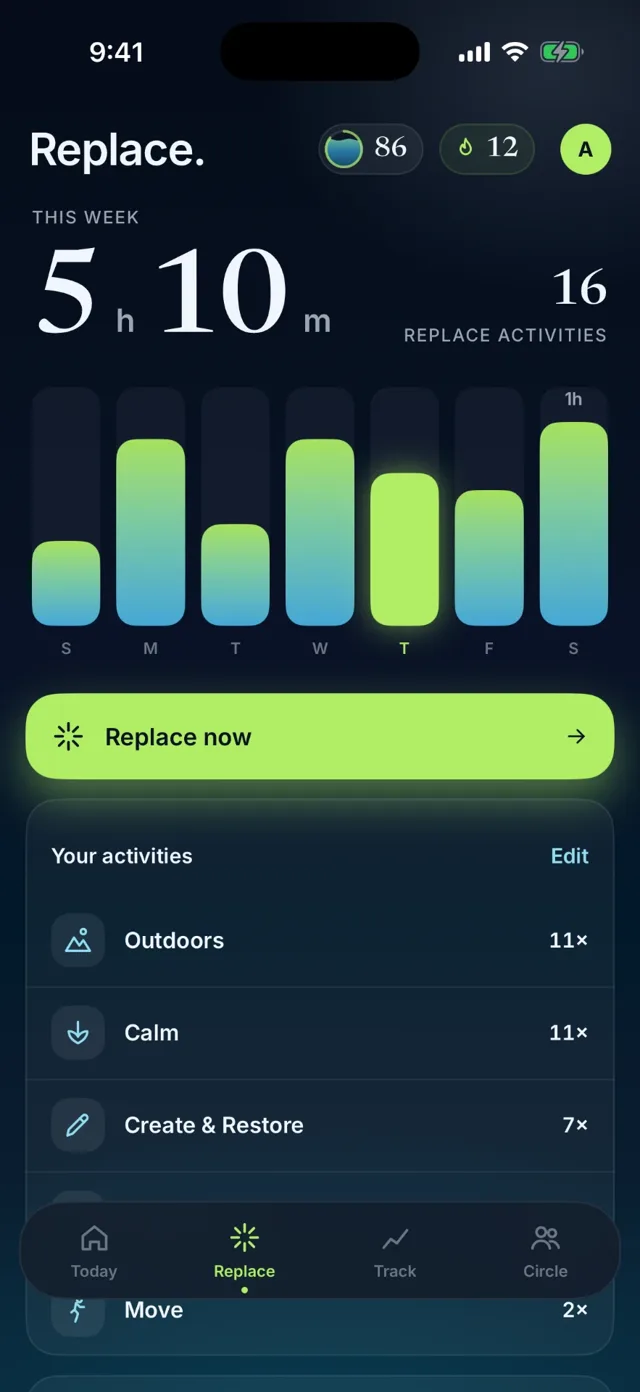
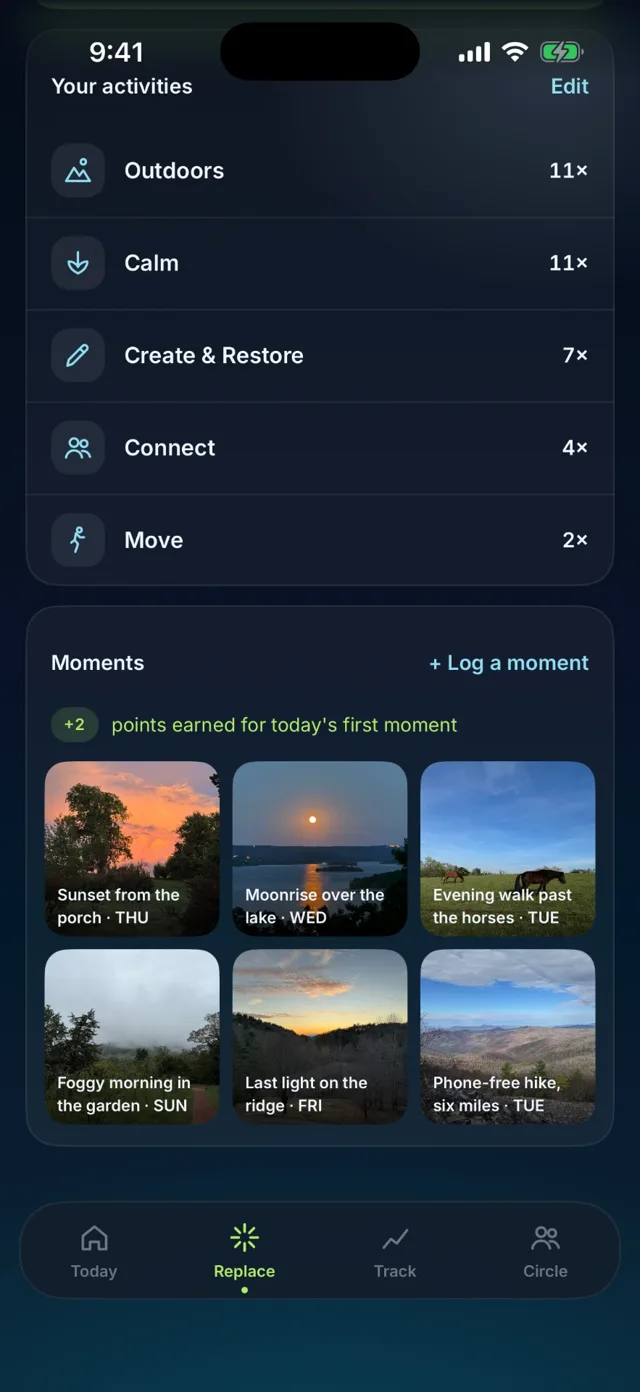
Your picks
Choose what gets your attention.
Tell Ctrl what you want more room for—movement, focus, people, or calm. Those choices become the alternatives waiting when autopilot kicks in.
You shape the plan
Set goals for specific apps, your whole phone, or phone-free nights. Adjust them when life changes.
Activities, not obligations.
Ctrl serves up useful options, and you choose what fits now.
Grounded in research
Every suggestion shows its work.
Goals and activities come with a short note on their benefits and the published study behind it. Where no study exists, we say so.
Walk outside · 5 min
Short spells in green space improve mood.
Barton & Pretty, 2010 · Environmental Science & TechnologyMeditate · 5 min
Regular meditation practice is linked to lower anxiety.
Goyal et al., 2014 · JAMA Internal MedicineReach out to someone · 5 min
People underestimate how much reaching out is appreciated.
Liu et al., 2023 · Journal of Personality and Social PsychologyReplacement, not restriction
You were never the problem.
You didn’t mean to spend an hour scrolling.
Nudge
When you reach a phone-use limit you set, Ctrl offers an alternative activity you choose.
Shield
A stronger pause that puts your replacement choices in front of the scroll.
Ctrl Score
One honest read on your day.
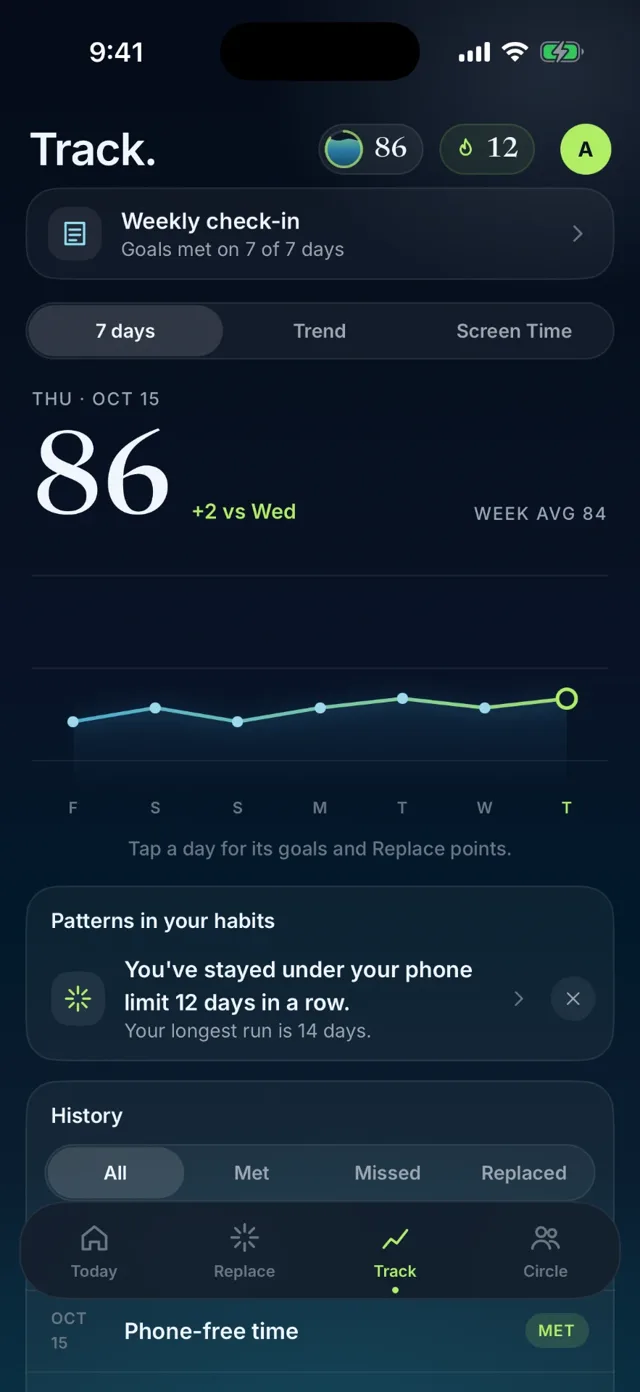
One daily number from 0 to 100 that shows whether you kept the goals you set. It measures you against your own goals, not anyone else’s idea of healthy. Tougher goals are worth more, and every Replace you complete adds to your score.
0–100
A simple daily signal
Time back
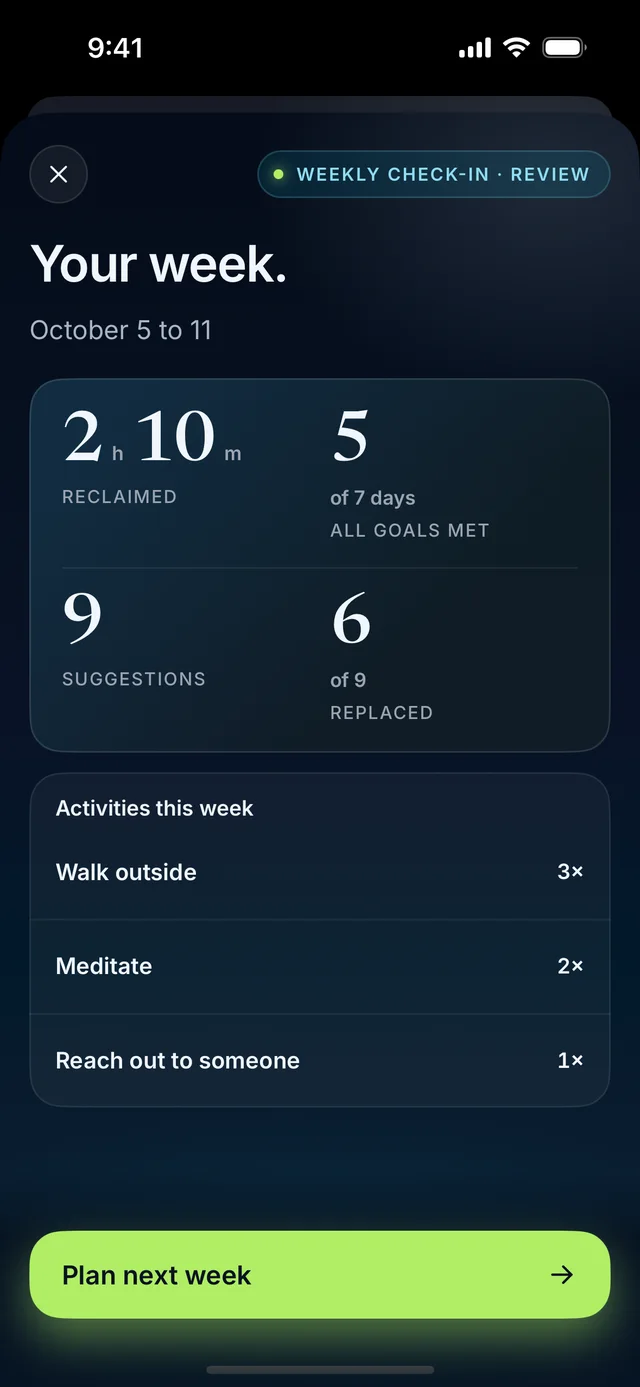
See what you reclaimed
Sunday
Your weekly review
The product
Four places. One purpose.
When you do open Ctrl, make it count. Check in on your day, find a better next move, spot your patterns, or catch up on the moments your Circle shares. Then get back to yours.
Today
Your Ctrl Score, your goals, time reclaimed this week, and one tap to Replace.
Replace
Your picks, a gallery of moments you’ve logged, and one clear action when you want something else.
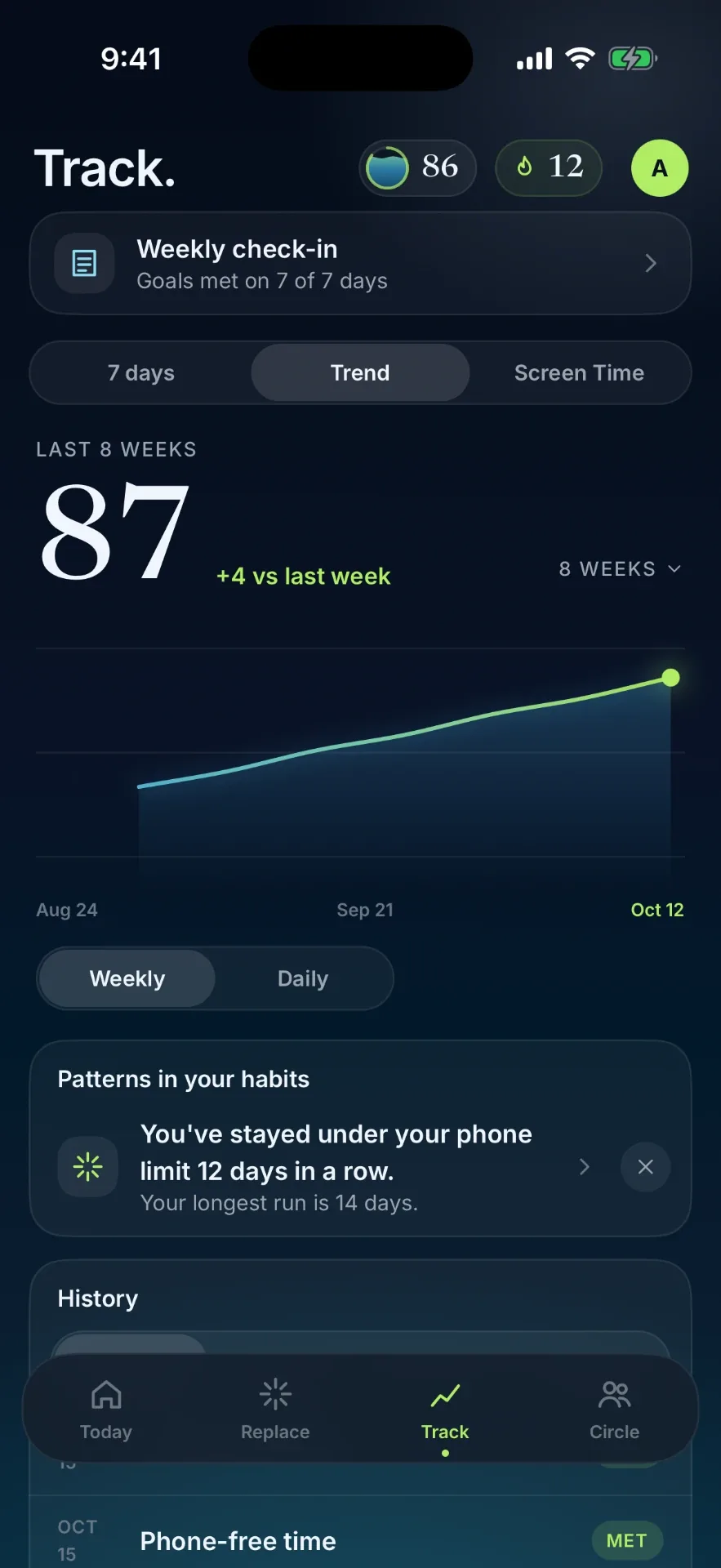
Track
Your score over time, your Screen Time, and patterns in what actually makes you feel good—without the guilt trip.
Circle
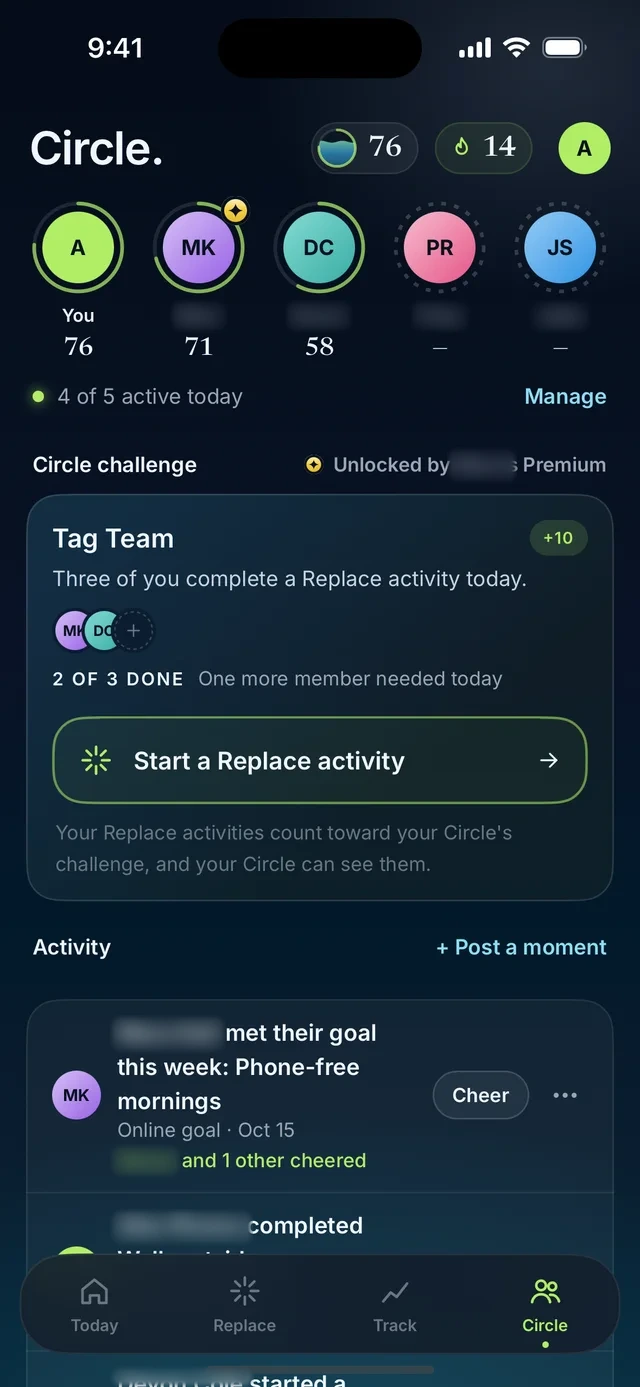
A daily challenge with the people you choose, plus the moments worth cheering—never raw phone activity.
Circle
More you. Together.
Making room for what matters doesn’t have to be a solo effort. Circle brings in the people you choose—see who showed up today, take on a shared daily challenge, and cheer the moments worth celebrating.
Challenge each other
Work toward a shared daily challenge, with each person choosing their own Replace activity.
Progress worth cheering
Celebrate scores, streaks and moments like a sunrise run. You choose what’s shared with your Circle—never raw phone activity.
Beyond the app
Ctrl works. The app stays closed.
Your score, your goals, your next better move—right where you already look. Home Screen widgets put Replace options within reach. Lock Screen and Live Activity controls let you start and finish a Replace without opening Ctrl. Less checking in with us. More being there for your life.
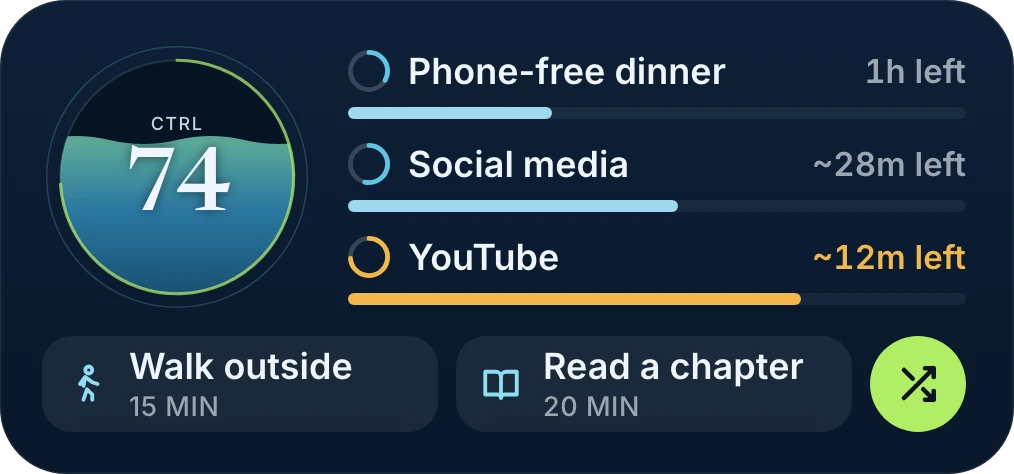
A glance. A better next move.
Your score, goals, and Replace options on your Home Screen.
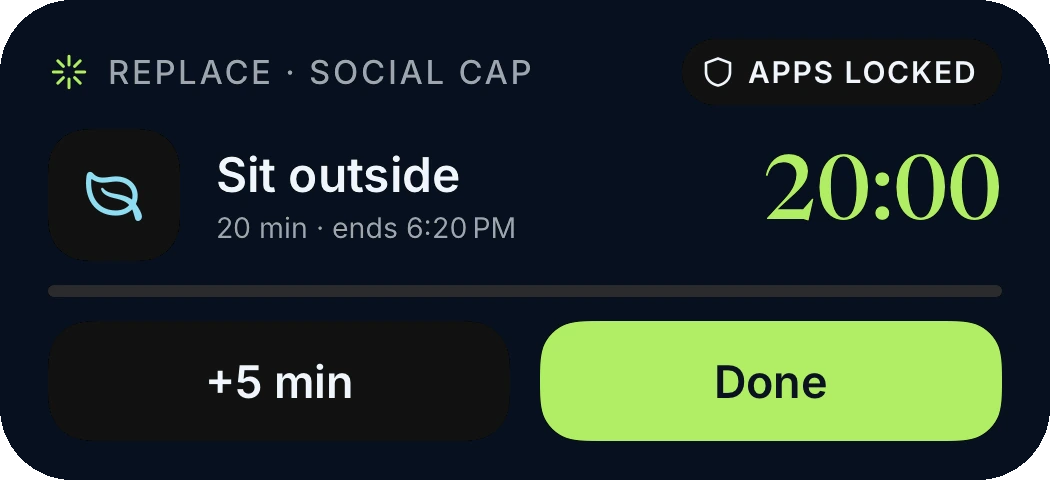
Finish here. Stay out there.
Add a few minutes or mark your Replace done, right from your Lock Screen.
Privacy and control
Your attention isn’t our inventory.
On-device suggestions
Replace offers are composed on your device—not held up by a server call.
Your permission
You choose what Ctrl watches and can change or remove access.
Selective sharing
Circle is for progress you choose to share, not raw phone activity.
On Android? Be first to know.
Sign up to be notified when Ctrl arrives on Android.